Article
Song
Inquiry
2020, 08/11 22:48 (1985day) Posted | 1980day Updated
-Added emotion blacklist function <br>You can hide only specific emotions in the comment section.
To hide it, press "Hide this emotion" in the emotion popup that opens when you press an emotion.
Cancellation is possible by clearing the entire list from the Kusama icon in the upper right → "Settings" → "Display" → "Initialize" → "Hide Emo".

・Added a drawing comment sharing page
You can now open a sharing page for drawing comments and post them to Twitter etc. with TwitterCards attached.
On the relevant shared page, a list of drawing comments (original, not reposted) posted to that distribution will also be displayed.

・Fixed a bug with kukuluLIVE FaceRig over Network/VirtualCam over Network
In an environment where UDP hole punching cannot be used (an environment using a TURN server),
Fixed an issue where playback would sometimes not start unless a button was pressed in interactive mode in OBS.

Automatically Translated. (Show original)
https://magical.kuku.lu/?3561 ツイート
2020, 08/11 16:44 (1985day) Posted | 1477day Updated
We have released the latest version of kukuluLIVE Coffret 2.4.3.0.

kukuluLIVE Coffret can be downloaded from below.
https://kuku.lu/s2eab80
*It will be automatically updated to the latest version at startup.

This version includes the following changes:

・Multiple settings can now be made using the external transfer function
Multiple local program calls are now possible.

You can enter multiple local program paths and arguments separated by line breaks.
The program path written on the first line will be executed with the arguments written on the first line.
The program path written on the second line will be executed with the arguments written on the second line.
You can specify as many lines as you like using this method.

Please refer to the manual below for details.
https://kuku.lu/s33b970


With this version update, antiviruses and SmartScreen may prevent Coffret from starting (until the new binaries are on safelists in various places).
In that case, we apologize for the inconvenience, but please set the exclusion settings so that "Coffret.exe" can be executed properly.

Automatically Translated. (Show original)
https://magical.kuku.lu/?3560 ツイート
2020, 08/08 17:47 (1988day) Posted | 1977day Updated
・You can now rotate with your finger on touch-enabled devices.
On iOS, Android, and touch-enabled PCs, you can rotate by touching with three fingers.
Touch with four fingers to reset the rotation angle to 0°.


・Improved the mouse wheel function of the PC version Added the "Mouse Wheel (Alt/Ctrl/Shift Press)" setting so that you can independently set the mouse wheel operation while pressing the Alt/Ctrl/Shift key. became.
By default, using the mouse wheel alone will zoom, and holding down the control key will rotate.


- Mouse can now be used on touch-enabled devices
Mouse connected to Android with OTG, mouse connected to iOS via camera adapter, touch mode of touch-enabled PC,
You can now operate the UI with the mouse. To prevent incorrect operation, drawing with the mouse is not possible.

・Improved the invitation function in the room <br>When you call the invitation function from the URL displayed in the palette or the participant list,
Buttons such as copying the participation URL, displaying the QR code, accessing the OS sharing function, and posting to Twitter will be displayed.

-Fixed an issue where the number of fingers may not be recognized correctly on Android.
・Fixed an issue where changed settings in the room (shared palette and production mode) were restored after restarting the room.
・Fixed an issue where a straight line was drawn when using the eyedropper while using the straight line tool.

Automatically Translated. (Show original)
https://magical.kuku.lu/?3559 ツイート
2020, 07/25 23:03 (2002day) Posted | 1998day Updated
- Added function to save/restore settings to Twitter ID
While logged in with Twitter ID, in addition to the conventional settings file saving/restoring, you can save and restore settings to Twitter ID.
If you want to copy a color palette created on your computer to your iPad, you can easily do so without having to exchange files.
Of course, it can also be used for backup purposes.


-Improved the specifications for canceling drawings on the smartphone version <br>When drawing with fingers, unconfirmed drawings are now canceled as soon as you touch with two fingers.
This improvement has the following effects. The convenience of finger drawing on a smartphone has been greatly improved.
- Fixed an issue where small dots would sometimes be drawn when pinch-zooming with your finger while in pen mode.
- You can undo by tapping with your other finger without lifting your finger while drawing, and by pinch-zooming with two fingers after lifting your finger, you can zoom without undoing.

``Drawing cancel & zoom'' that can be set using ``two-finger operation'' in ``operation settings'' that has always existed,
In addition to the above, the specifications are different because drawing is canceled when you press with two fingers after releasing your finger.

- The grid function has been changed to the "auxiliary layer" function. <br>As the background function is now exclusive to owners, participants are no longer able to switch the background to check for unfilled areas.
As an alternative, the grid function has been changed to the "auxiliary layer" function, and the following switching is now possible.
Auxiliary layers are visible only to you and operate independently of the background.
- Grid (same as traditional grid, for checking size)
- Photoshop app (for checking unfilled areas and transparency)
- Black, purple, blue, green (for checking unpainted areas)


-Improved the extended palette function <br>The maximum number of extended palettes that can be saved has been tripled, and the ability to switch pages has been added.


・Improved the function to prevent incorrect operation <br>When drawing in a corner with a round eraser or thick pen,
The pen size will automatically change to the optimal size without reducing the size.


・Improved the Drawn Swamp/Blindfold Swamp <br>There is no longer a distinction between Hiragana and Katakana, and either one is now considered correct.

・If you create a time-lapse video using the video creation function, the storage period is now unlimited.<br>Unlike normal videos, it can be stored for several hundred days after it was last viewed. It will not be automatically deleted after the date has passed and will be stored forever.

・Fixed an issue where the drawing layer could be changed unintentionally in the smartphone/tablet version.
-Fixed an issue where the settings file could not be saved in the iOS app version.
-Fixed an issue where a straight line could be drawn when using two fingers on the Android version.
-Fixed an issue where shortcut keys would sometimes work while entering text.

Automatically Translated. (Show original)
https://magical.kuku.lu/?3558 ツイート
2020, 07/19 16:32 (2008day) Posted | 2007day Updated
・Added "Tool Preset" function <br>This is a function that can be called from shortcut keys or virtual shortcut keys by making presets of tool states collectively.
You can quickly switch to your favorite state, such as a pen for line drawing, a pen for painting, an eyedropper for thick coating, and a stroking pointer for fanning.

The following states can be saved as presets.
- Modes such as stroking mode, pen mode, etc.
- Advanced modes such as mask pen, equal transparency pen, color only eyedropper, etc.
- size and transparency
- Stroke mode pointer


To use this feature, open Settings → Tool Preset Settings.
There are currently 5 presets available, and pressing each "Save" button will save the current state as a preset.


For presets, set the call key from the shortcut key settings.
If you have set up virtual keys, you can use the virtual shortcut keys window as a simple custom toolbar.


・Improved "Dice" and "Lottery" functions


Added the "Lottery Target" setting to the "Lottery" function. You can customize your lottery.

- Lottery to determine one participant (excluding visitors)
- Lottery to select one person from all participants including visitors
- Lottery to decide one item from the input list (useful when you want to decide on a topic, etc.)


・Added "Undo drawing & zoom" to "Two-finger operation" setting
When you want to undo, just tap with two fingers, and you can also pinch-zoom by moving them, which is convenient.
You can undo any lines you accidentally drew when zooming, so you don't have to worry about it.


-Improved to automatically download replay files after replay recording is complete
・Improved to display a dialog to turn on the setting when trying to undo when drawing undo is off.
・Improved to display a dialog to turn off the setting when trying to draw without pen pressure while pen pressure is on.
-Changed the default eyedropper mode to "color only"

Automatically Translated. (Show original)
https://magical.kuku.lu/?3557 ツイート
2020, 07/17 13:06 (2010day) Posted | 2008day Updated
iOS app version v2.2.1 and Android/KindleFire app version v2020.07.13.2 have been released.
We are making the following updates.

- Supports pen double tap operation on iPad + Apple Pencil (2nd generation or later).
By default, the behavior can be set in iPadOS "Settings" → "Apple Pencil".

You can overwrite the setting, replace it with drawing cancellation, or disable it from "Settings" → "Operation Settings" → "Apple Pencil Double Tap" on MagicalDraw side.


*Apple Pencil (1st generation) does not support double tap operation.
*Operation was verified by a Galaxy-class god painter. appreciate.

-Improved the behavior when saving
On iOS, images are now directly placed in the camera roll. The Android version will take you directly to the Chrome download.
The zip file output in production mode is saved in the File app → MagicalDraw folder.

Automatically Translated. (Show original)
https://magical.kuku.lu/?3556 ツイート
2020, 07/17 03:58 (2010day) Posted | 2010day Updated
The following updates have been made in the latest version v3.2.0.0.

・Simple editing can now be undone ・Added "black fill" to simple editing ・Created URL is now https (SSL)


Antivirus may falsely detect binaries until they are on the safe list, so please add them to the exclusion list as appropriate.

"Gamennau" software is automatically updated to the latest version when it is started.
https://s.kuku.lu/

Automatically Translated. (Show original)
https://magical.kuku.lu/?3555 ツイート
2020, 07/15 06:35 (2012day) Posted | 2009day Updated
・You can now change the detail mode of the eyedropper .
Changed to absorb color and transparency by default.

It is now possible to switch between the conventional mode of blotting only the color part and the mode of blotting with the color displayed on the screen as you like.

In the PC version, you can change the mode by pressing the eyedropper icon again in the eyedropper mode from the palette.


In the smartphone/tablet version, you can change the mode from the eyedropper settings icon.


<When absorbing RGBA(128,128,128,128)>
- Color and Transparency: Change the selected color to RGB(128,128,128) and 50% opacity.

- Absorb only the color part: Change the selected color to RGB (128,128,128).

- Absorb by display color: Changes the selected color to RGB(192,192,192) on a white background, and changes the selected color to RGB(64,64,64) on a black background. Change the opacity to 100%.
*Even if the background image is other than white, it will be composited with that color, so you can absorb the color as you see it.

・Improved the timing of picking up color from the dropper
This allows you to bring up the color preview circle while holding down the right click if you have the eyedropper set to right click in pen mode.

・Improved the "Paste image on canvas" function <br>In the past, only images of 800KB or less could be pasted, but now there is no size limit and it is now possible to paste any large image as it is.
Images larger than 800KB will be automatically compressed locally before being sent, resulting in lower image quality and resolution.

- Added pat pointer. Added ``pacifier'' and ``baby bottle.'' Also, the default hand size has been increased.

・Added shortcuts <br>You can now change the detailed mode of the eyedropper and the shape of the eraser from shortcut keys.

-Improved so that the lines are relatively smooth even on slow devices on Android

・Fixed an issue where the color could not be absorbed with the eyedropper when the uniform transparency pen drawing was not canceled.
-Fixed an issue where the image pasting function may not be available on IE or older Edge
Fixed an issue where touch response could be sluggish on mobile devices

Automatically Translated. (Show original)
https://magical.kuku.lu/?3554 ツイート
2020, 07/14 07:28 (2013day) Posted | 2010day Updated
・Added a function to display the document image in a window <br>You can cut out an image saved on your computer or smartphone, or cut out a part of the canvas and display it as a MagicalDraw window.
Not only is it useful for drawing as a reference, but you can also use a dropper to absorb the color.

This function can be used from "Operation" → "Display document image".


"Select document image" reads the image on your computer or smartphone.

"Trim Canvas" trims and reads the canvas.
*Unlike preview, the image is fixed at the time of trimming and will not be updated.

You can use the eyedropper mode to directly absorb the color from the document window.
You can change the zoom rate with the slider [1] and display it semi-transparently [2].
Vertical and horizontal inversion [3] is also possible. (Excluding IE)


The image displayed in the document window is saved on the terminal, and if you leave the room with it open, it will be restored the next time you enter.

・Improved the behavior when pressing the room URL in the palette <br>On the PC version / mobile web version, copy the participation URL.
The smartphone app version calls the sharing function of the OS, so you can invite people on Twitter or LINE without switching screens.

Automatically Translated. (Show original)
https://magical.kuku.lu/?3553 ツイート
2020, 07/11 04:11 (2016day) Posted | 2015day Updated
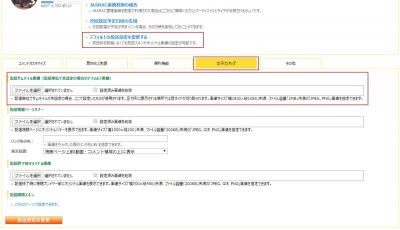
・The background function has been improved, and it is now possible to add original backgrounds .
As soon as the owner changes the background, everyone's background will be changed to the same one.
General participants are now unable to change the background.

Additionally, you can now add original backgrounds.
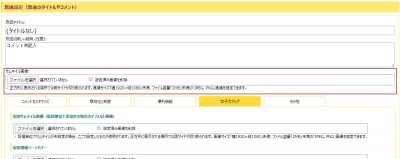
Owners can upload original background images on the admission page.
If the canvas size and background image size are different, you can choose to stretch or tile the background image.


The added original background can be specified from "Operation" → "Background Image" in the room.


For example, in a collaborative project, by using the explanation and dividing frame as a background,
You can use layers 1 and 2 freely, and there is no need to restore the instructions even if you initialize the canvas.

You can also easily turn the current canvas into a background image.
You can add a layer-combined image as a background image from "Operation" → "Background image" → "Create background from current canvas".
By clearing the current canvas after turning it into a background, it can also be used as the bottom layer that cannot be edited.


The background image is also reflected in preview, time shift, and replay recording data.
The background is not included during restoration, so transparency is preserved even if a background image is used.


- Added grid function From "Settings" → "Display settings" → "Show grid",
You can display the grid above the background and below the drawing layer.
20 pixels is one square, and the line color is displayed darker every 200 pixels.

The grid is different from the background, so participants can freely change its settings, and it is hidden when saved.


・Firefox has become a non-supported browser <br>Both desktop and mobile versions of Firefox are no longer available.
Although it is a browser that no one uses anymore, there are many parts that must be considered because it is an original engine, so we will reduce the weight by truncating it.

-Improved so that the dropper function cannot pick up areas where nothing is drawn.
-Fixed an issue where the color would change when using the dropper function to suck up a transparent area
-Fixed an issue where the background was not displayed in production mode

Automatically Translated. (Show original)
https://magical.kuku.lu/?3552 ツイート
20 / 47 Page(s)


© Kukusama.